Catalog
Invert Data
The Invert Data transform inverts scalar values so that the maximum becomes
the minimum and vice versa. This is useful for preparing data where the
convention for foreground/background intensity is reversed.
The transform can be found under Data Transforms > Math Operations >
Invert Data.
Parameters
None
Output
The volume with inverted scalar values. Supports cancellation.
Tortuosity
The Tortuosity transform calculates various quantities described in the paper
by Chen-Wiegart et al.
The transform can be found under Data Transforms > Material Analysis.
Parameters
phase (int): the scalar value in the dataset that is considered a poredistance_method (enum): the distance method to calculate distance between pore nodes. Options are: Euclidean, CityBlock, Chessboard.propagation_direction (enum): the face of the volume from which distances are calculated. Options are X+, X-, Y+, Y-, Z+, Z-.save_to_file (bool): save the detailed output of the operator to files. If set to True, propagate along all six directions and save the results, but only display results for one direction within the application.output_folder (str): the path to the folder where the optional output files are written to
Output
Volumetric data: in the output volume are saved the distances between each pore voxel and the starting propagation face.
Path length table: the average path length for a face vs the linear length
Tortuosity table: 4 different tortuosity values calculated from the path length table.
Tortuosity distribution table: the distribution of tortuosities for voxels in the last slice of the propagation
If
save_to_fileis True, the following files are created for all propagation directions:distance_map_*.npypath_length_*.csvtortuosity_*.csvtortuosity_distribution*.csv
Pore Size Distribution
The Pore Size Distribution transform calculates the continuous pore size
distribution as described by
Münch and Holzer.
The transform can be found under Data Transforms > Material Analysis.
Parameters
threshold (int): scalars greater thanthresholdare considered matter; scalars less thanthresholdare considered pore.radius_spacing (int): the pore size distribution is computed for all radii from 1 tor_max. Increaseradius_spacingto reduce the number of radii tested.save_to_file (bool): save the detailed output to files.output_folder (str): the path to the folder where output files are written.
Output
Volumetric data: for each pore voxel, the distance from the closest matter voxel.
Pore size distribution table: the fraction of total volume that can be filled by spheres of each radius.
If
save_to_fileis True:pore_size_distribution.csv
Cylindrical Crop
The Cylindrical Crop transform crops a volume to a cylindrical region with
an arbitrary axis orientation. It provides an interactive 3D widget for
visually positioning and sizing the cylinder.
The transform can be found under Data Transforms > Data Management >
Cylindrical Crop.
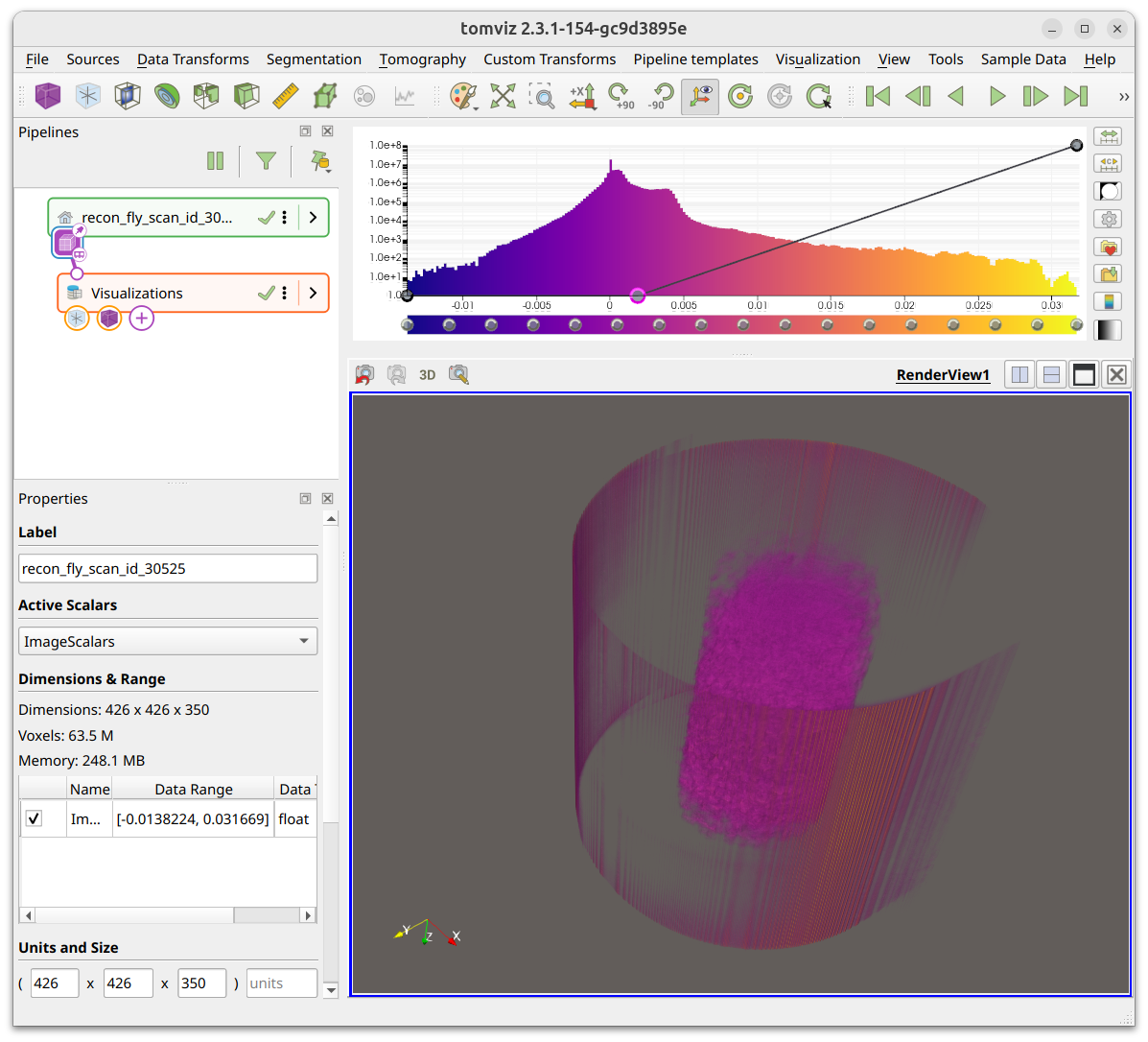
The volume before cropping:
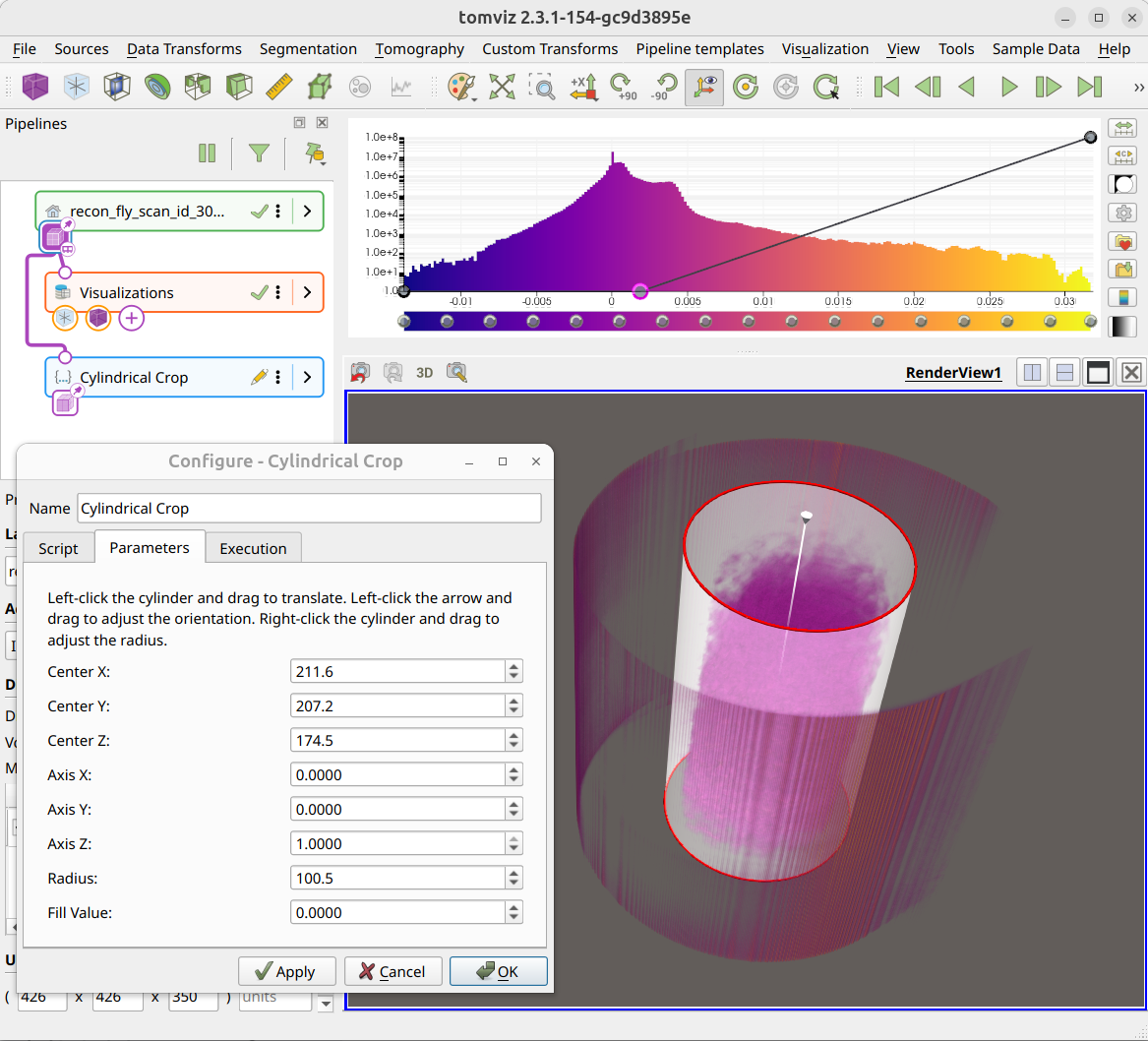
When the operator is added, an interactive cylinder widget appears overlaid on the volume. The Configure dialog shows instructions and numeric spinboxes for the center, axis, radius, and fill value. Left-click the cylinder and drag to translate. Left-click the arrow and drag to adjust the orientation. Right-click the cylinder and drag to adjust the radius.
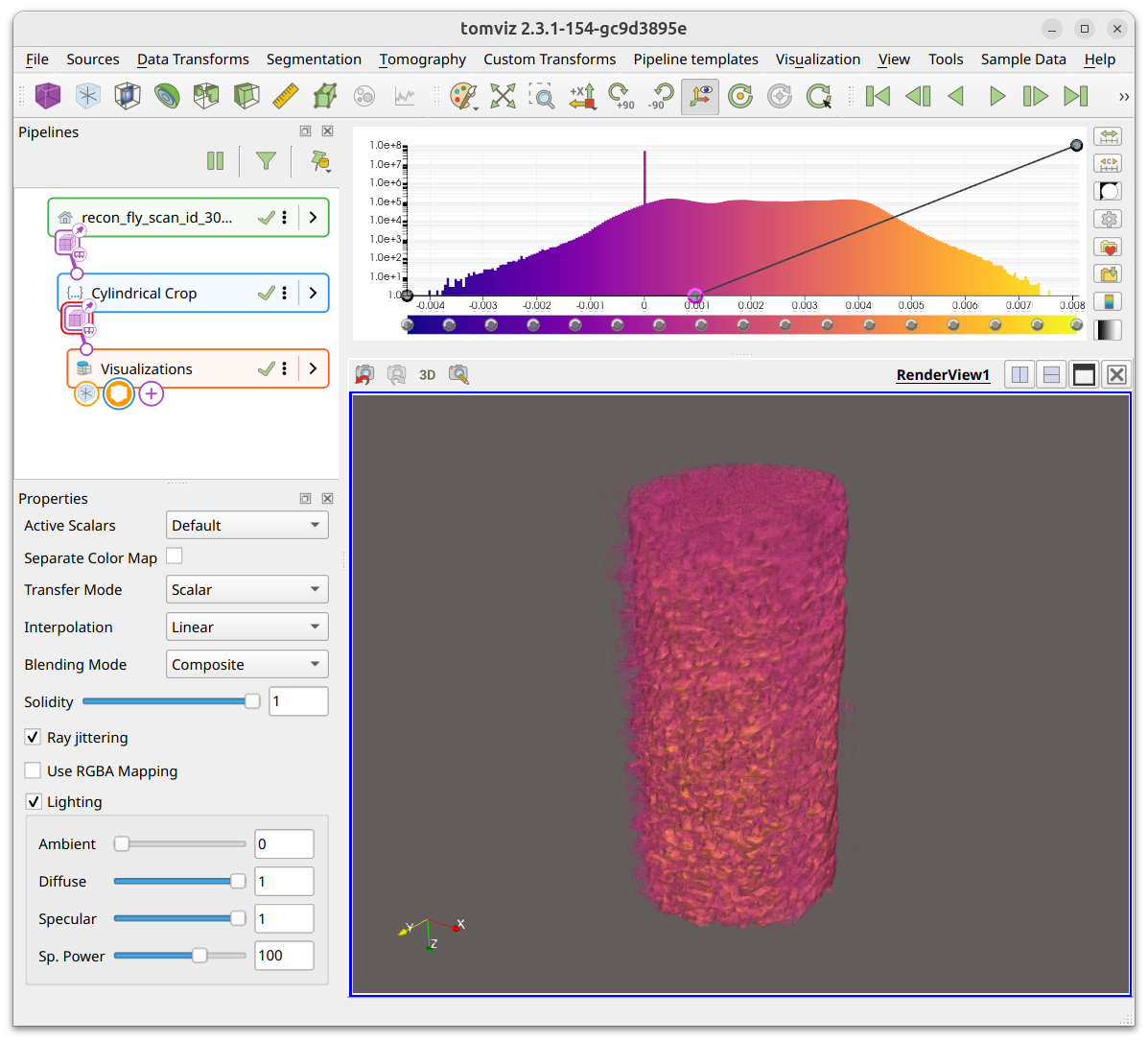
After applying, voxels outside the cylinder are replaced with the fill value and the cropped volume is displayed:
Parameters
center_x, center_y, center_z (double): Center of the cylinder in voxel coordinates. Default -1.0 (auto-center).axis_x, axis_y, axis_z (double): Direction of the cylinder axis (normalized). Default: along Z axis.radius (double): Radius of the cylinder in voxels. Default -1.0 (auto-compute as half the smallest perpendicular dimension).fill_value (double): Value assigned to voxels outside the cylinder. Default: 0.0.
Output
The input volume with voxels outside the cylinder replaced by
fill_value.
Deconvolution Denoise
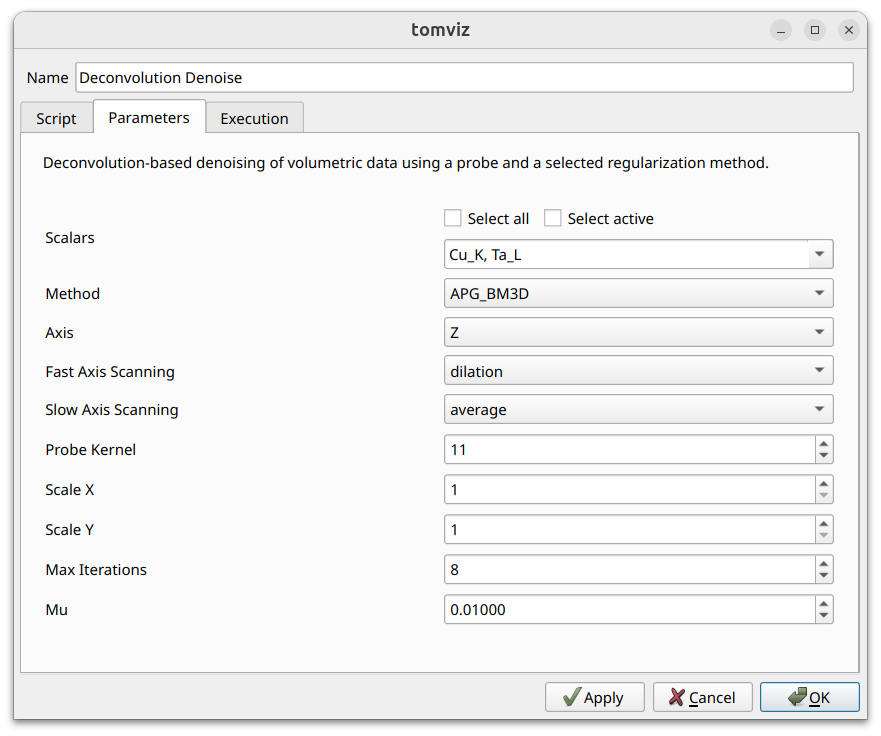
The Deconvolution Denoise transform performs deconvolution-based denoising
using a ptychographic probe and a selected regularization method. See the
analysis page for an overview.
The transform can be found under Data Transforms > Metrics & Spectral.
Methods
APG_BM3D - Most accurate but slowest; requires
bm3dpackage.APG_TV - Total Variation regularization; no extra dependencies.
ADMM_TV - Fast ADMM with TV; no upscaling support; no extra dependencies.
Parameters
Scalars (select_scalars): which scalar arrays to process.Method (enum): APG_BM3D, APG_TV, or ADMM_TV.Axis (enum): X, Y, or Z.Probe: probe dataset for PSF, provided via the transform’s second input port. Link the probe source node to this port in the pipeline.Fast Axis Scanning (enum): dilation or average.Slow Axis Scanning (enum): dilation or average.Probe Kernel (int): size of probe kernel. Default: 11.Scale X (int): X scale for super-resolution (APG methods only). Default: 1.Scale Y (int): Y scale for super-resolution (APG methods only). Default: 1.Max Iterations (int): maximum iterations. Default: 8.Mu (double): regularization parameter. Default: 0.01.
Output
Denoised volumetric dataset with selected scalars processed.
Similarity Metrics
The Similarity Metrics transform computes per-slice MSE and SSIM between the
current dataset and a reference. See the
analysis page for an overview.
The transform can be found under Data Transforms > Metrics & Spectral.
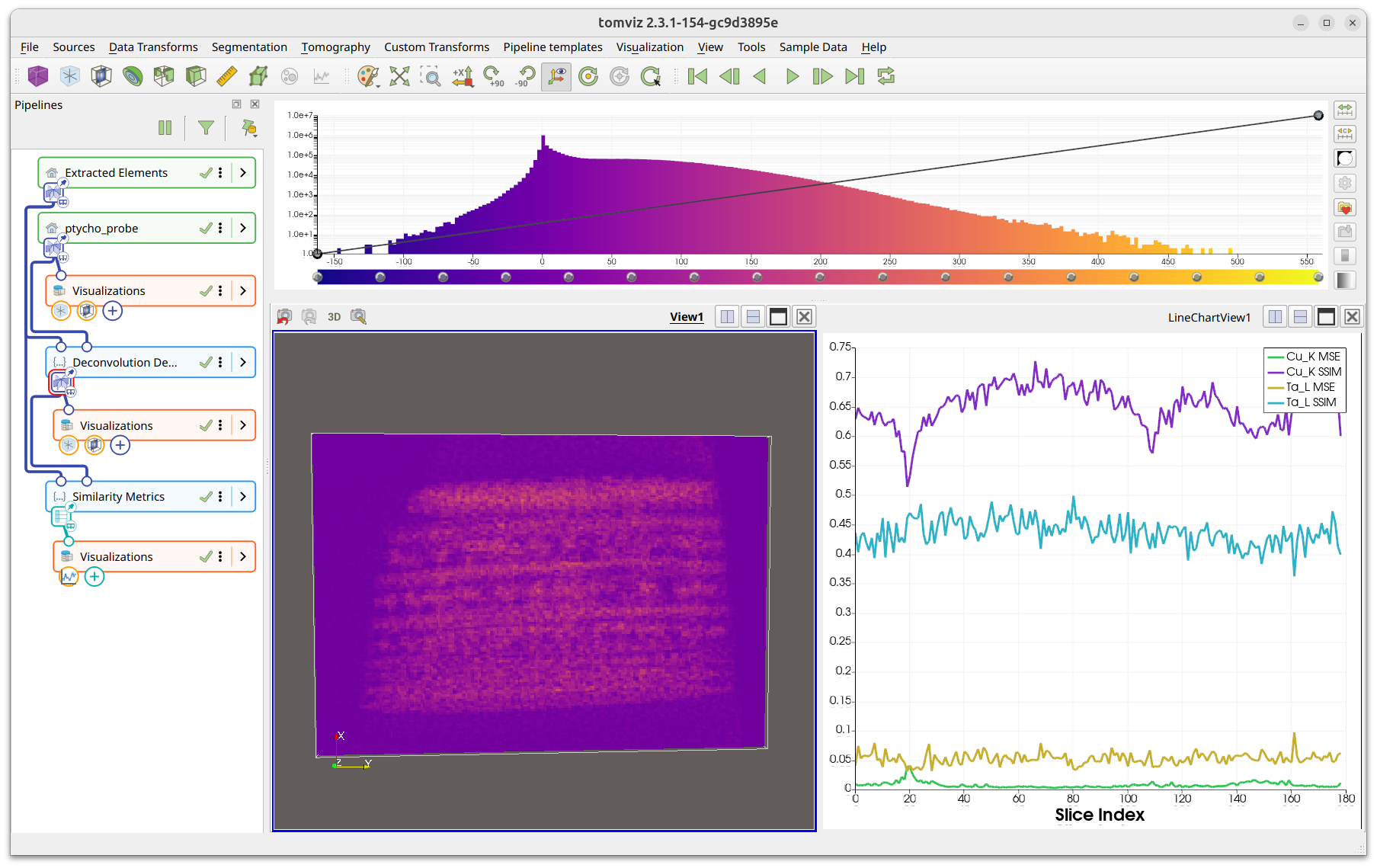
Parameters
Scalars (select_scalars): which scalar arrays to compute metrics for.Axis (enum): X, Y, or Z.Reference Dataset (dataset): dataset to compare against.
Output
Similarity table with columns for slice index, MSE, and SSIM per scalar.